CRUD -> Vue.js + Node.js + PostgreSQL
A full-stack CRUD
📦 Product Management CRUD - Vue.js + Node.js + PostgreSQL
A full-stack CRUD (Create, Read, Update, Delete) application for managing products, built with Vue.js 3 (Composition API) on the frontend and Node.js + Express + PostgreSQL on the backend.
🚀 Features
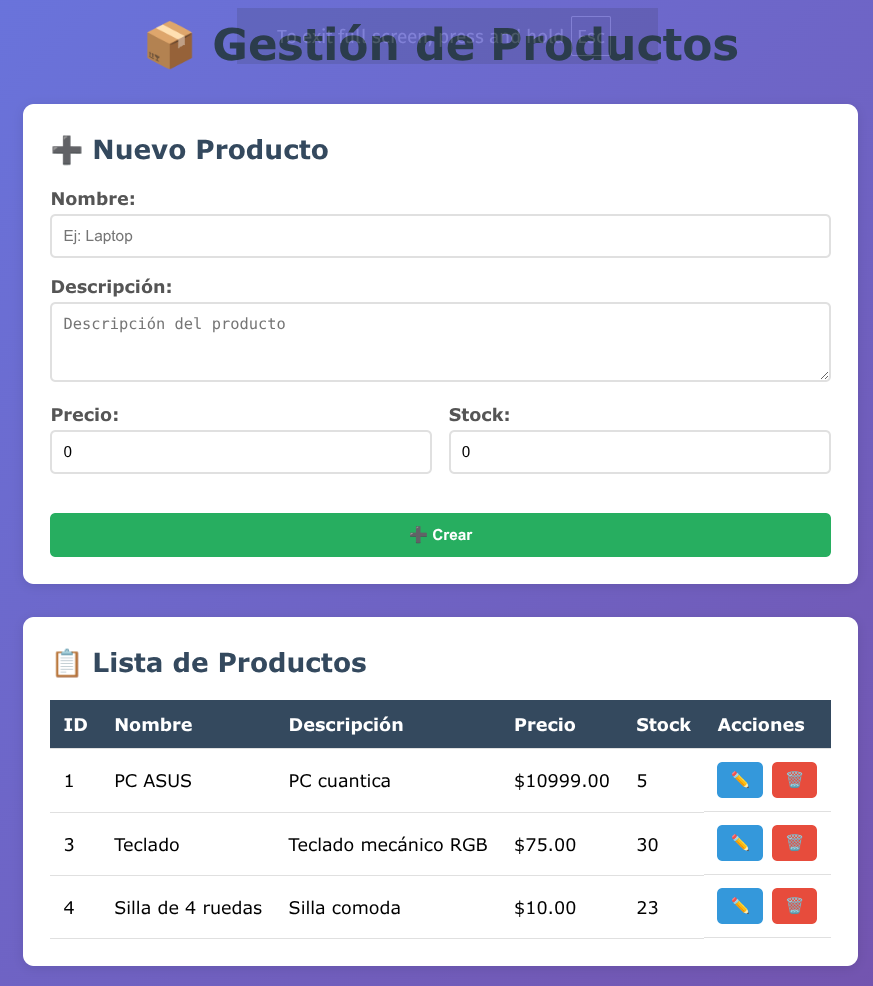
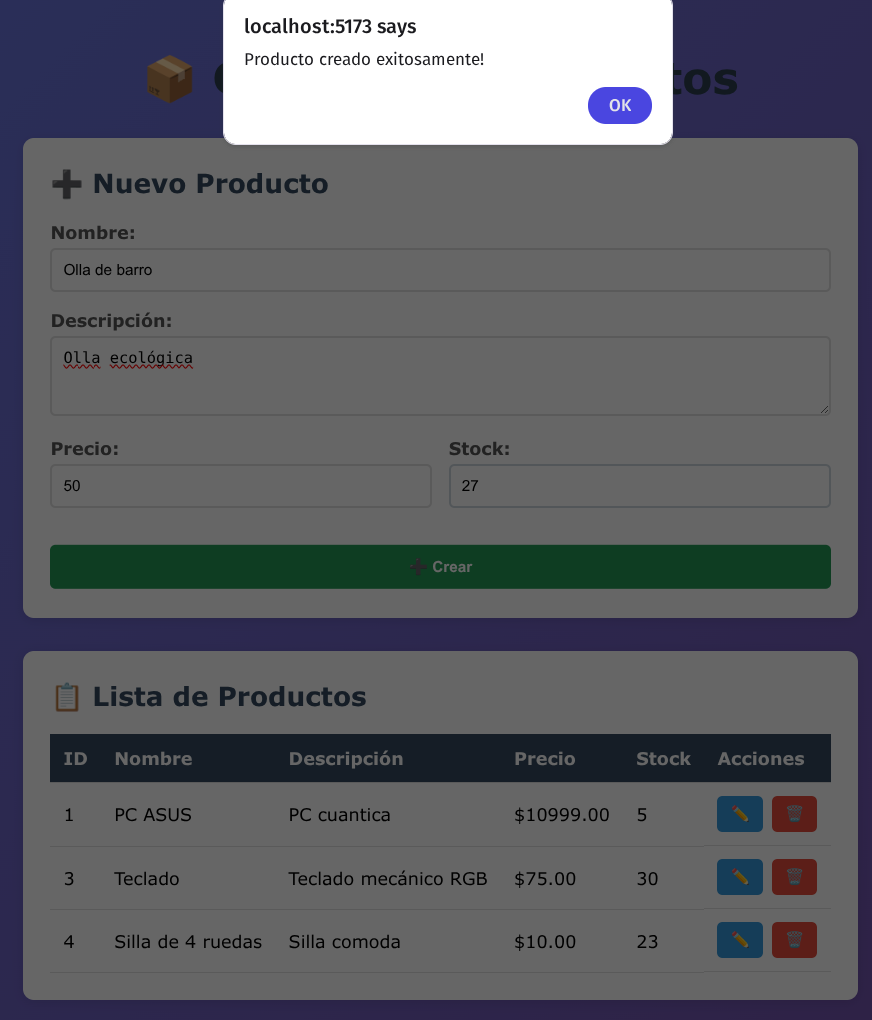
- ✅ Create new products
- 📋 List all products in a table
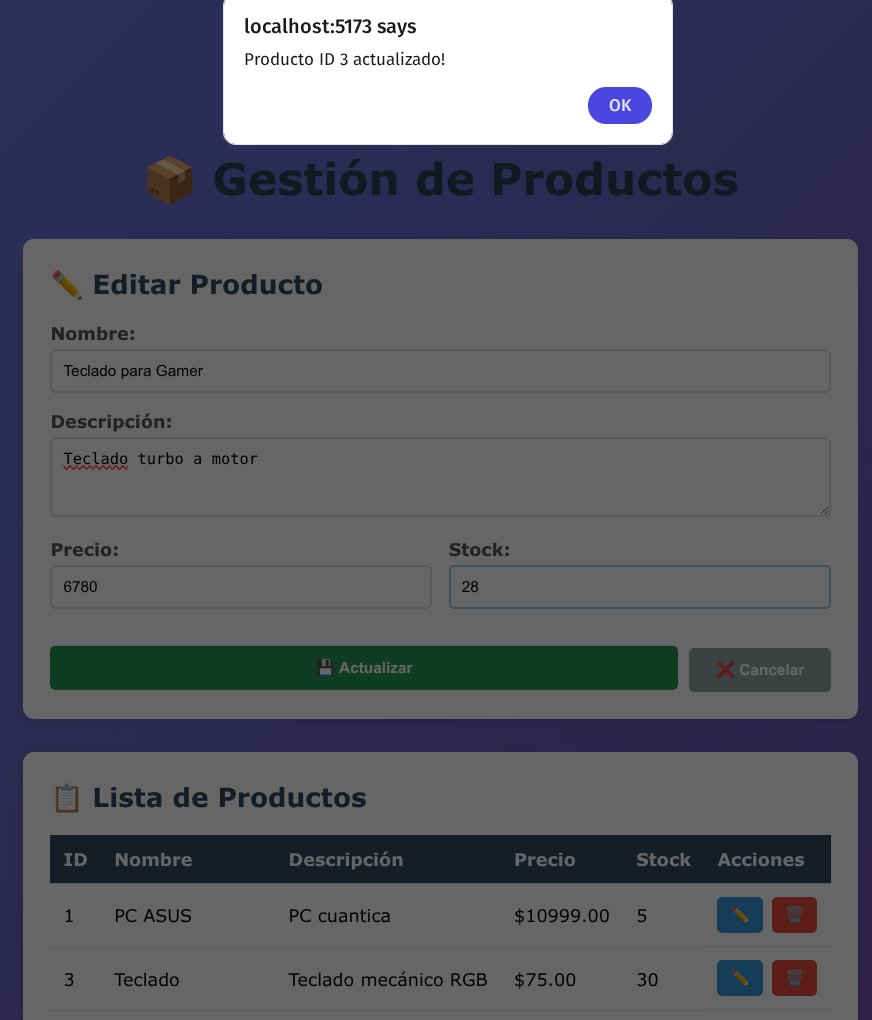
- ✏️ Update existing products
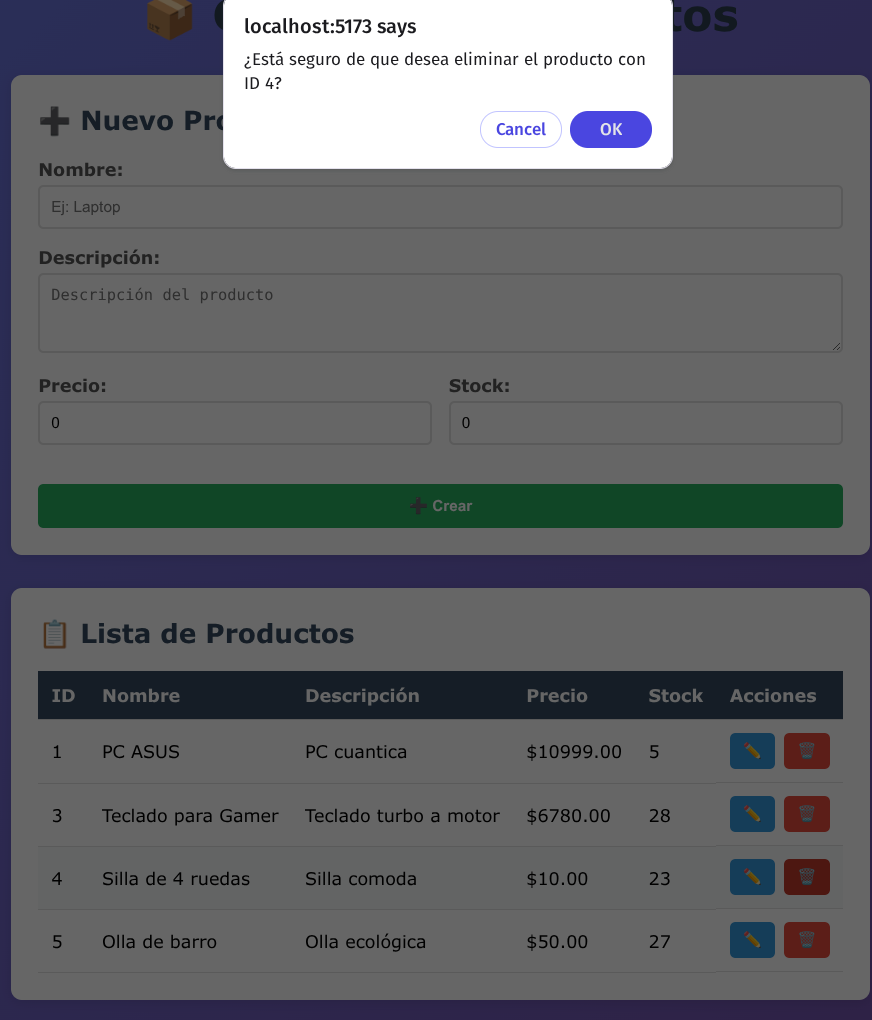
- 🗑️ Delete products
- 💾 PostgreSQL database integration
- 🎨 Modern and responsive UI
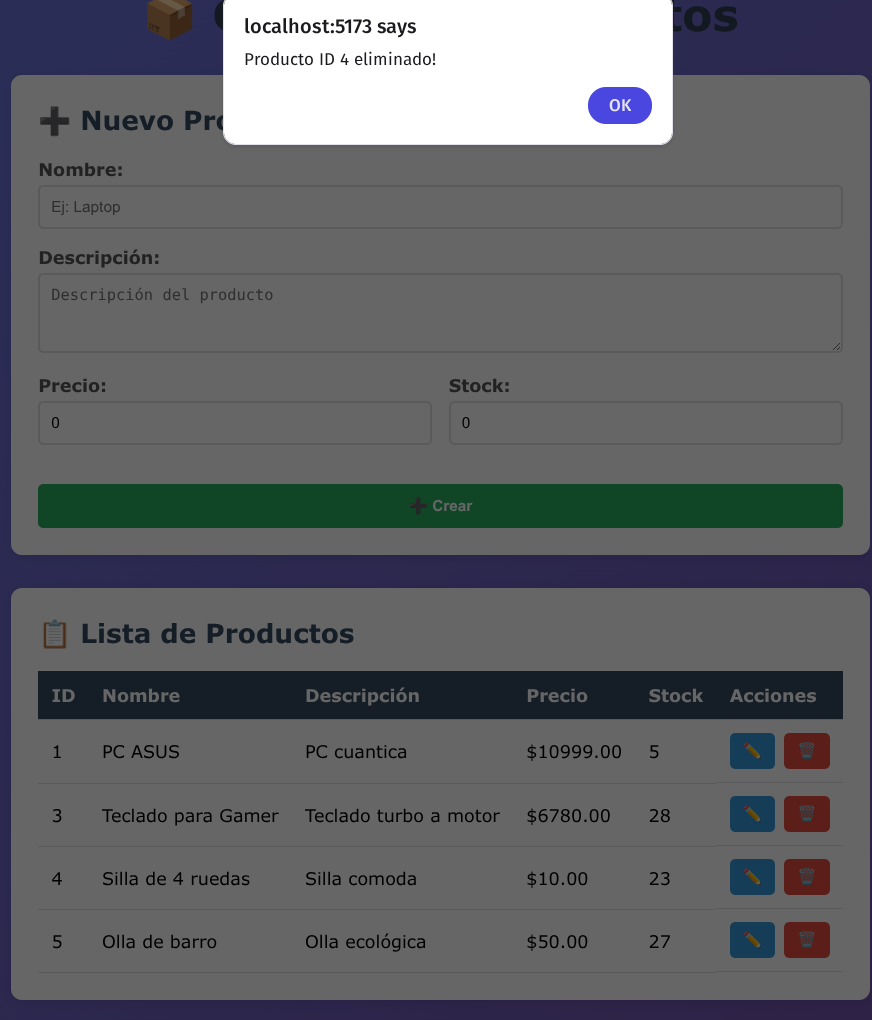
📸 Screenshots

🛠️ Tech Stack
Backend
- Node.js - JavaScript runtime
- Express.js - Web framework
- PostgreSQL - Relational database
- pg - PostgreSQL client for Node.js
- cors - Enable CORS
- dotenv - Environment variables
Frontend
- Vue.js 3 - Progressive JavaScript framework
- Composition API - Modern Vue syntax
- Axios - HTTP client
📋 Prerequisites
Before you begin, ensure you have the following installed:
- Node.js (v14 or higher)
- PostgreSQL (v12 or higher)
- npm or yarn package manager
🗄️ Database Setup
1. Create the Database
Open PostgreSQL terminal (psql) and run:
CREATE DATABASE crud_vue;
2. Create the User
CREATE USER psy_support_user WITH PASSWORD 'dev_password_123';
3. Grant Permissions
GRANT ALL PRIVILEGES ON DATABASE crud_vue TO psy_support_user;
4. Connect to the Database
\c crud_vue
5. Create the Products Table
CREATE TABLE productos (
    id SERIAL PRIMARY KEY,
    nombre VARCHAR(100) NOT NULL,
    descripcion TEXT,
    precio DECIMAL(10, 2) NOT NULL,
    stock INTEGER DEFAULT 0
);
6. Insert Sample Data (Optional)
INSERT INTO productos (nombre, descripcion, precio, stock) VALUES
('Laptop HP', 'Laptop de alto rendimiento', 899.99, 15),
('Mouse Logitech', 'Mouse inalámbrico ergonómico', 29.99, 50),
('Teclado Mecánico', 'Teclado RGB con switches azules', 79.99, 30);
⚙️ Backend Installation
1. Navigate to Backend Directory
cd backend
2. Install Dependencies
npm install
This will install:
- express
- pg
- cors
- dotenv
3. Configure Database Connection
Edit config/database.js if needed to match your PostgreSQL configuration:
const pool = new Pool({
  user: 'psy_support_user',
  host: 'localhost',
  database: 'crud_vue',
  password: 'dev_password_123',
  port: 5433 // Change to 5432 if using default PostgreSQL port
})
4. Start the Backend Server
node index.js
The server will run on http://localhost:3000
You should see:
🚀 Servidor Express funcionando en el puerto 3000
URL de prueba: http://localhost:3000
5. Test the API
Open your browser and visit:
-
http://localhost:3000/- Should return:{"mensaje": "API funcionando correctamente"} -
http://localhost:3000/api/productos- Should return the list of products
🎨 Frontend Installation
1. Navigate to Frontend Directory
cd frontend
2. Install Dependencies
npm install
This will install Vue.js, Axios, and other dependencies.
3. Configure API URL
The API URL is already configured in src/services/productosService.js:
const API_URL = 'http://localhost:3000/api/productos';
4. Start the Development Server
npm run dev
The application will run on http://localhost:5173 (or another port if 5173 is busy)
5. Open in Browser
Visit http://localhost:5173 to use the application
📁 Project Structure
crud-vue-postgres/
│
├── backend/
│   ├── config/
│   │   └── database.js           # PostgreSQL connection configuration
│   ├── controllers/
│   │   └── productosController.js # Business logic for CRUD operations
│   ├── routes/
│   │   └── productos.js           # API routes definition
│   ├── index.js                   # Express server entry point
│   └── package.json
│
├── frontend/
│   ├── src/
│   │   ├── components/
│   │   │   └── ProductosCRUD.vue  # Main CRUD component
│   │   ├── services/
│   │   │   └── productosService.js # API service layer
│   │   └── App.vue                # Root component
│   └── package.json
│
└── screens/                       # Application screenshots
    ├── Main.png
    ├── tabla.png
    ├── New product.png
    ├── Update product.png
    ├── Delete product.png
    └── Delete product 2.png
🔌 API Endpoints
| Method | Endpoint | Description |
|---|---|---|
| GET | /api/productos | Get all products |
| GET | /api/productos/:id | Get a single product by ID |
| POST | /api/productos | Create a new product |
| PUT | /api/productos/:id | Update a product by ID |
| DELETE | /api/productos/:id | Delete a product by ID |
Example Request Body (POST/PUT)
{
  "nombre": "Product Name",
  "descripcion": "Product Description",
  "precio": 99.99,
  "stock": 10
}
🎯 Usage
Creating a Product
- Fill in the form fields (Name, Description, Price, Stock)
- Click the “➕ Crear” button
- The product will appear in the table below
Editing a Product
- Click the “✏️” button on any product row
- The form will populate with the product data
- Modify the fields as needed
- Click “💾 Actualizar” to save changes
Deleting a Product
- Click the “🗑️” button on any product row
- Confirm the deletion in the popup dialog
- The product will be removed from the database
🐛 Troubleshooting
Backend Issues
Port already in use:
# Change the PORT in backend/.env or index.js
const PORT = process.env.PORT || 3001;
Database connection error:
- Verify PostgreSQL is running:
sudo service postgresql status - Check database credentials in
config/database.js - Ensure the database and table exist
CORS errors:
- Ensure
cors()middleware is enabled inindex.js - Check the frontend is making requests to the correct URL
Frontend Issues
API connection error:
- Verify the backend server is running on port 3000
- Check the API_URL in
src/services/productosService.js - Open browser console to see detailed error messages
Module not found:
# Delete node_modules and reinstall
rm -rf node_modules
npm install
📝 Environment Variables (Optional)
Create a .env file in the backend directory:
PORT=3000
DB_USER=psy_support_user
DB_HOST=localhost
DB_DATABASE=crud_vue
DB_PASSWORD=dev_password_123
DB_PORT=5433
🤝 Contributing
Contributions are welcome! Please feel free to submit a Pull Request.
📄 License
This project is open source and available under the MIT License.
👨💻 Author
Your Name - Your GitHub Profile
🙏 Acknowledgments
- Vue.js Documentation
- Express.js Documentation
- PostgreSQL Documentation
Made with ❤️ using Vue.js, Node.js, and PostgreSQL